
Gap Handling
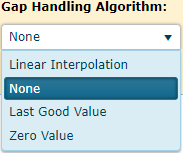
Gap Handling is the process which fills gaps on a normalized series with processed values. A dropdown list used to select the algorithm for calculating gap filling values. The default value is None which means do not fill the gaps. Other options include Linear Interpolation, Last Good Value and Zero Value. Each of these methods are detailed in the sections below.
Linear Interpolation
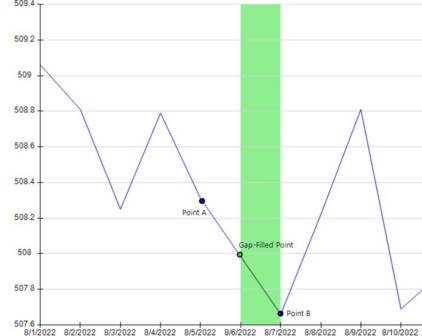
Linear Interpolation is a gap handling routine which calculates a slope between the last processed value and the next processed value. The Gap-Filled point is then placed where the point should be based on the calculated slope.
Last Good Value
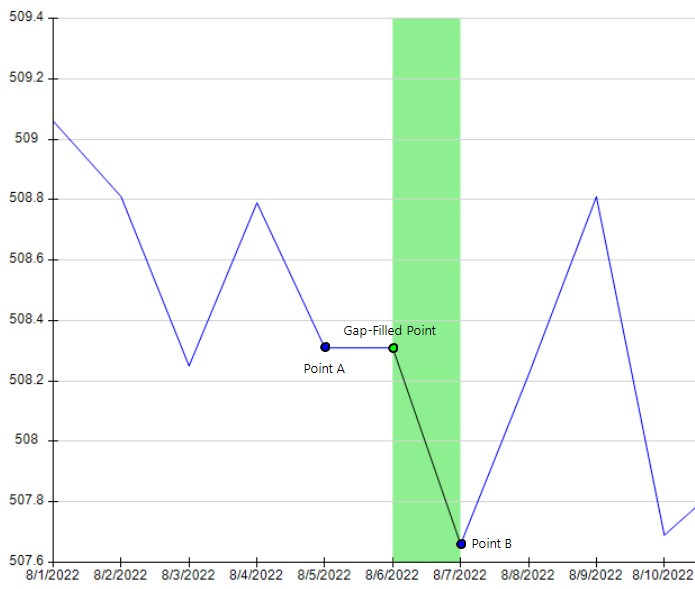
Last Good Value is a gap handling routine which uses the last processed value. The Gap-Filled point is then placed where the point should be and uses the last available value.
This method is particularly useful for Step data where the data only changes when a value changes.
Zero Value
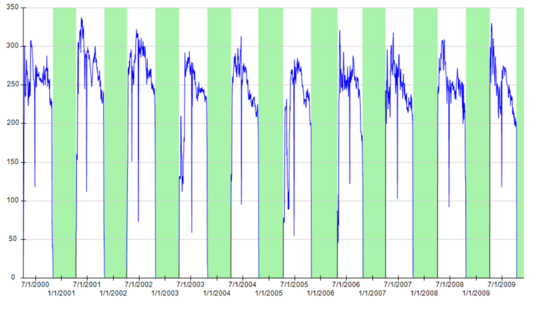
Zero Value is a gap handling routine which always uses ‘0’ as the processed value.
Endpoints
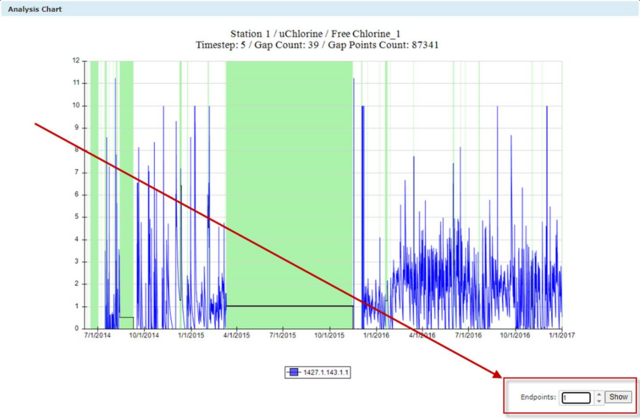
With the Linear Interpolation and Last Good Value gap filling methods, the user can select the endpoints used to connect the interpolated line - moving back from the endpoints on either side of the gap - to create a better fit. The endpoints can be seen and adjusted in Analysis chart window when you select Linear Interpolation or Last Good Value algorithms.
Export
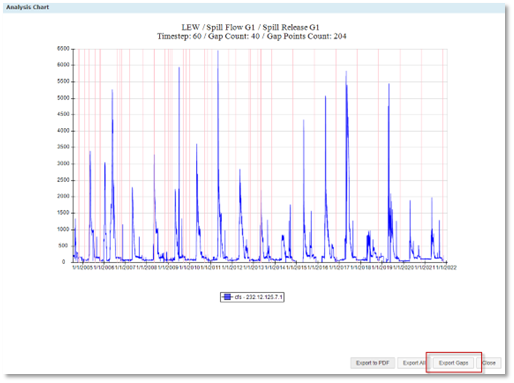
There a button called “Export Gaps” that is used to export an Eyasco format .csv file which only has gap data points.
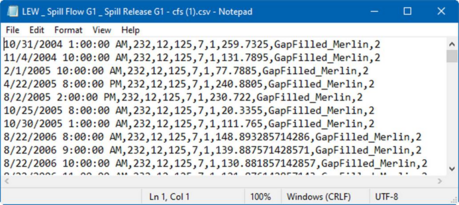
The csv file columns are:
1. Datetime
2. Project ID
3. Station ID
4. Array type ID
5. Sensor ID
6. Measurement ID
7. Data
8. Quality Codes
9. Station Type
Examples
Examples of gaps filled by different algorithms:
|
Algorithms
|
Data Plots
|
Description
|
|
Linear Interpolation
|
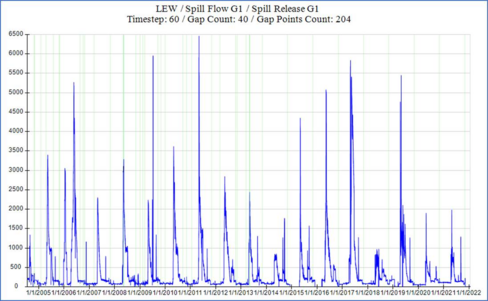 |
The linear interpolant is the straight line between the two known points. Database will use the know x (which is datetime) to calculate y (which is sensor value) by using an equation y =ax+b.
|
|
Last Good Value
|
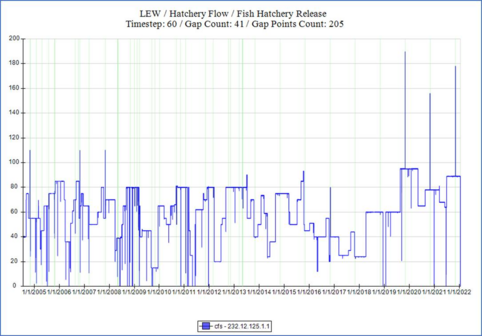 |
Use the previous valid value to fill the gap.
|
|
Zero Value
|
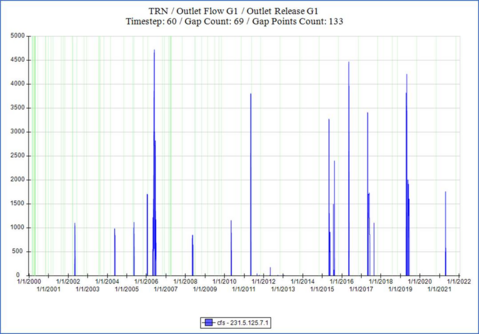 |
Fill all gaps as zero.
|