Gap Handling Tool
The Gap Handling tab of the Toolbox is used to see the gaps in selected data set and allow users to fill those gaps. The Gap Handling Tool is best for small gaps where a linear interpretation of missing data can be used. The selection made in the Tool Box does not alter the raw data. It saves a series of rules that are used for "Processed" export to create a “derived” data series – most often used for modeling purposes.

· Native Time Steps: The period between data points in the selected time series - calculated by the Gap Handling tool.
· Update Timesteps: Clicking this button recalculates the Native Time Steps.
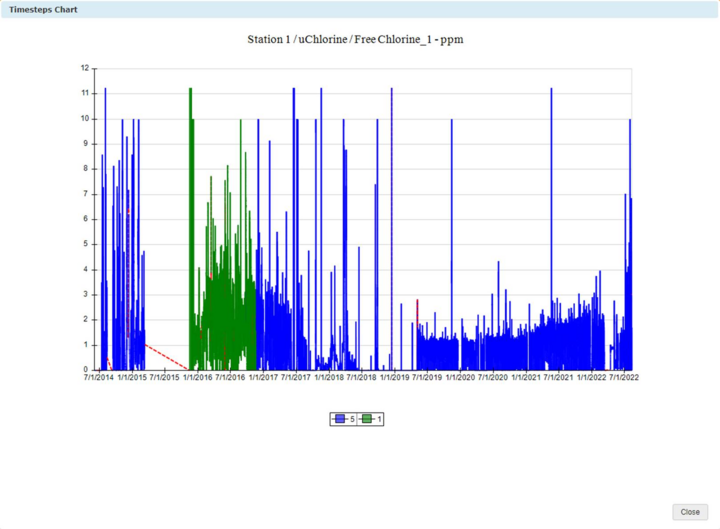
· Chart Timesteps: Clicking this button opens a pop-up window which displays the native time steps in different colors on the chart. For example, the chart below shows Free Chlorine data with 5 minute time steps as blue, and 1 minute time steps as green. The red dash line represents gaps.