
Time Step Normalization
Finding and filling data gaps requires that the time step be normalized to a constant period in minutes. This is done automatically in the gap handling tool for the Native Time Step, which is defined as the smallest period that aligns most closely with the standard time periods of 5, 15, 60, 360, 720 and 1440 minutes. The Gap Handling tool gives a user the option of increasing the time step when applying gap filling algorithms.
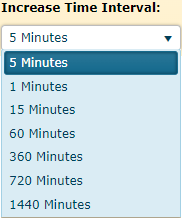
Increase Time Interval: A dropdown list used to select the time interval to normalize the timestep for detect the gaps. The default value is the largest native timestep. Users can select any timesteps which larger than maximum native timestep and smaller than 1440 minutes, and can divide 1440 minutes.
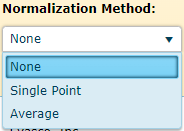
Normalization Method: Time Step Normalization is the process which manipulates a raw data series to a processed series outputting every value on a selected time interval. This is particularly useful when a raw data series does not have a single time interval between points, or if there is a series which does not have “regular” time intervals (15 Minute, Hourly, Daily). This is also used to detect gaps in a time series.
A dropdown list used to select the normalization method.
When applying Time Step Normalization to a raw data series, the routine uses the raw events in different methods to produce normalized events. Below is an example of where normalized events are placed in comparison to where the raw data exists:
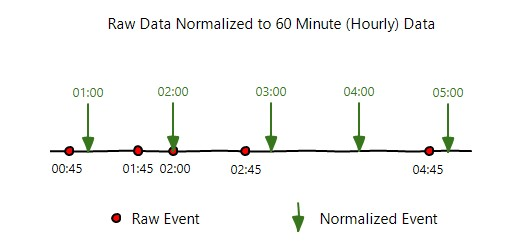
Here, the raw events (marked in red) do not have “regular” time intervals and don’t fall directly on the hour. Normalization will take a series like this and create regular intervals between events (marked in green) -- in this instance hourly data which falls on the hour. The different methods to normalize data are detailed in the sections below.
Single Point
The Single Point method selects the nearest raw value to the normalized event. The time range used to select the value for the event is one half interval backwards to anything less than one half time interval forwards. The following image depicts what is considered for each point:
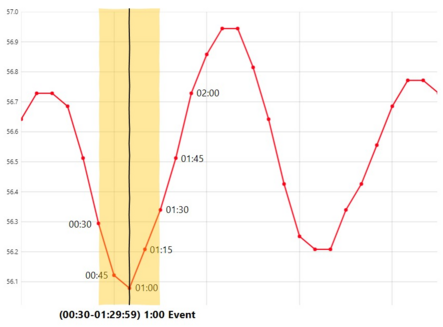
If a point falls directly on the time datum of the normalized event, that point will be selected. In the example above, there is a point at 01:00 which falls on the normalized event, so that point will be used for the normalized event.
If there is no point directly on the time datum, the algorithm will determine the nearest point to that normalized event. Here is an example:
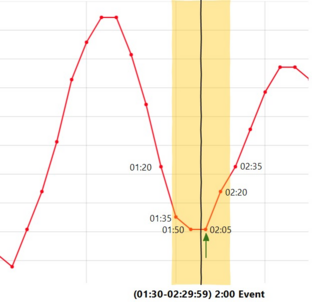
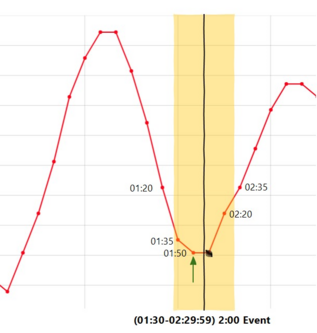
In the example above, at the normalized event for 02:00, the nearest raw value is 02:05. This will be the selected point for the normalized event. If no raw value existed at 02:05, the routine would select the point at 01:50 because that is the next nearest raw value:
Median Average
The Median Average method calculates a simple average from the raw values within a certain range of the normalized event. The time range used to select raw values for calculating the average for the event is one half interval backwards to anything less than one half time interval forwards. The following image depicts what is considered for each point:
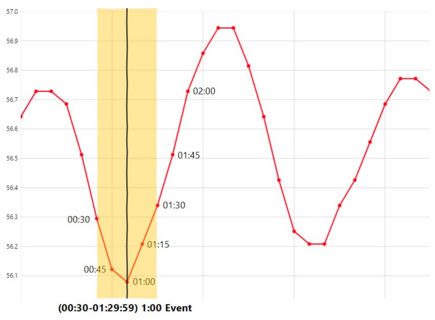
In this example, the normalized event will be an average of 4 points that fall within the range shown above (points at 00:30, 00:45, 1:00, 1:15). If there is only one point that falls within the range, then that point will be used as the normalized event.
Area Average
The Area Average method calculates an area average from the raw values within a certain range of the normalized event. The time range used to select raw values for calculating the average for the event is one full time interval forwards including the raw value at the next normalized event. This routine is based off the USGS methodology for daily averaging. The following image depicts what is considered for each point:
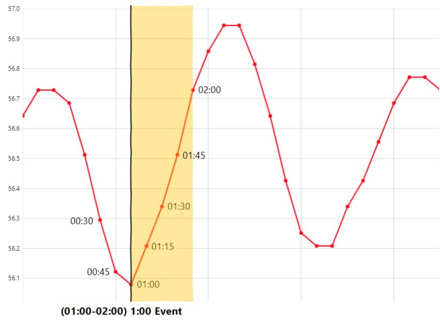
An area average takes the time interval determined between two points and utilizes this to calculate the average between points.

When normalizing to a time step that the raw data is already formatted to, no averaging will be done. So, when a data series has hourly spaced data and a user selects to normalize with area average to 60 minutes, the data points will be selected rather than averaged. This is to avoid averaging on data points which do not require it.