
Update Curves
The Update Curves button will recalculate flow for historic data if you’ve made any changes to the algorithms, or stage level corrections using the Scale Factor and Offset tool in Merlin Enterprise. If you are working on a rating curve with “Auto Update” selected, clicking on the “Update Curves” button above the workspace will dipsplay the following form:
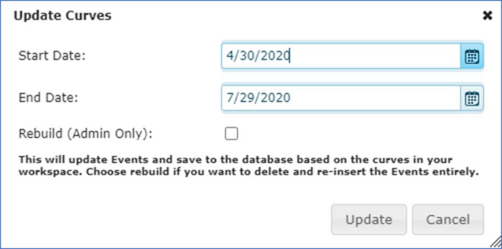
Select the Start and End date and click Update to rebuild the data using the current rating curve.