
The Alarm
Either as a result of clicking on the “Last Alarm” from the landing page, or from following the trail through project navigation, you will arrive at the visualization window where you can view, annotate and acknowledge alarms. When alarm occurred, the corresponding Project name, Station name and Measurement name of the alarm are highlighted in their list.
Scroll down to the bottom of the visualization window, tap on the Alarm Button to expose the Acknowledge Alarms View.
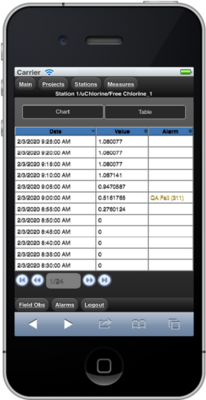 Event with Alarm
|
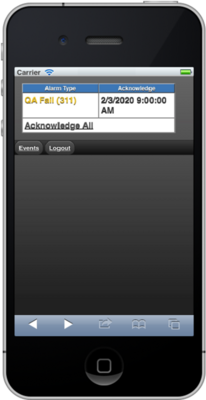 Acknowledge Alarms
|
To acknowledge the alarm, press the Acknowledge link to dismiss the Warning.