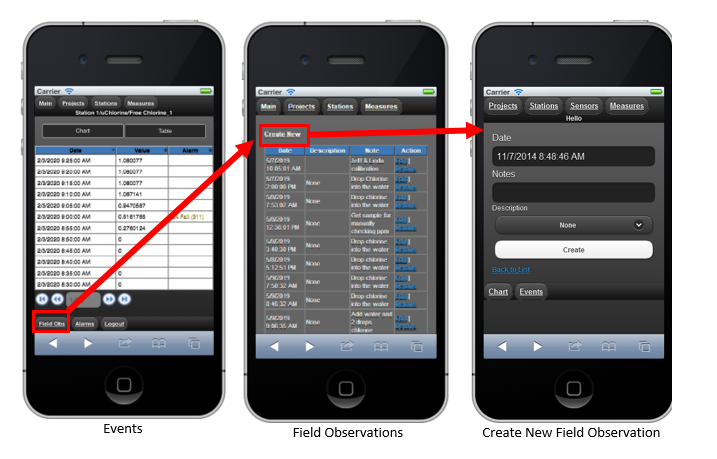
Field Observation (Annotation)
On the bottom of the Measurements screen you will see a field observation button. This enables you to create or edit a field observation annotation. Tap on Field Observation to see a list of existing observations, or click “Create New” to add a new one. In the Field Observation table, there are two function keys at the end of each row, Edit and Details. By clicking these two keys, you can edit the notes or view detail of the Field Observation.