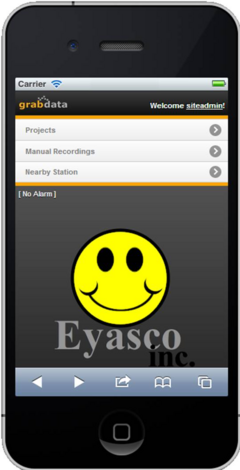
The WELCOME SCREEN
Once you’re logged on, you will arrive at the Merlin Mobile landing page. On this page you will see the Projects button, the Nearby Station button as well as current Alarm information.
The ‘Projects’ button takes you to the projects directory. The ‘Manual Recordings’ button will show a list of projects that have manual measurements associated. Selecting the ‘Nearby Station’ button will show you the nearest station sensors closest to the Merlin Mobile.
The area shown below the ‘Nearby Station’ button shows existing Alarm information. When there is no alarm, a “Smilie” logo occupies this area. When there is an active alarm, information relating to an existing alarm will be displayed.