Reset a user Password
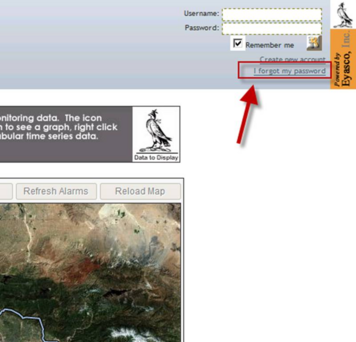
If a user forgets a password, the password can be reset from the login screen. The password reset interface is accessed by clicking the “I forgot my password” link in the upper right corner of the Merlin Web.
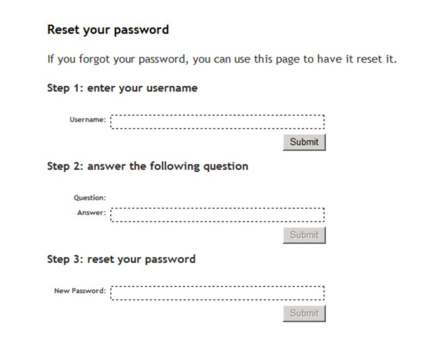
The password reset screen prompts a user to enter their username and answer the security question that was established when the user was created. Once those fields are correctly submitted, the user can enter a new password.