Reports
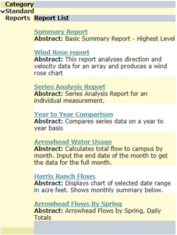
The Reports tab navigates to a list of reports generated in SQL Server Reporting Services (SSRS) that can be applied to existing data. Once a report is selected from the right-hand list, additional report parameters are specified using the central reporting interface. Once a report is created, it can be exported in excel, pdf, or Word format, or sent to a printer.
The list of reports a user sees is configurable using the Admin Interface Credential Manager. For example, separate report lists can be created for Administrators, Users, and Public that would each display a distinct collection of available reports, depending on what group a user is assigned to.
The top level of the Report selector will show all Report Categories. A report category can collapse to show all reports available to the category.

Once a report is selected, the report interface will generate parameters to be filled in for the report, and the report can be ran.