
Alarm Report
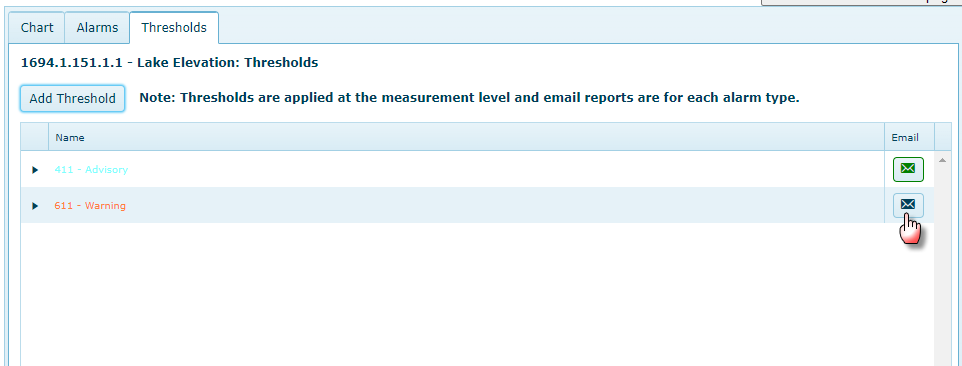
Click on the e-mail icon for the newly created alarm type to create an alarm report:
Select the Alarm Type – in this case a Warning alarm. Then add e-mail addresses for recipients, run time and Frequency.
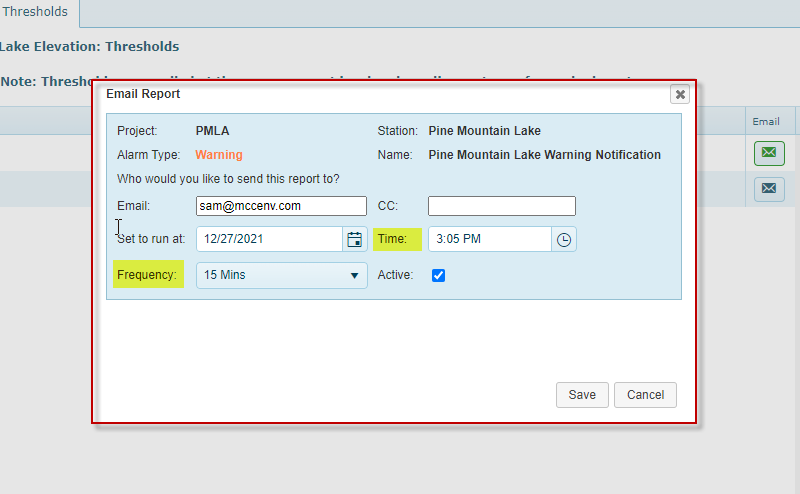
The “Set to run at” date and time are when the alarm checking will start. The Frequency is how often to check for alarms. To properly set the Run Time and Frequency you need to know your data collection period and the scheduled download time. The above settings assume 15 minute data collection interval occurring by :05, :20, :35: and :50 every hour.